> For the complete documentation index, see [llms.txt](https://docs.avici.money/llms.txt). Markdown versions of documentation pages are available by appending `.md` to page URLs; this page is available as [Markdown](https://docs.avici.money/getting-started/business-cards/profile-verification.md).
# Profile Verification
The verification process for Business Cards is straightforward and follows the same flow as personal cards, with the key difference being that users must select a Business account and provide the required company information.
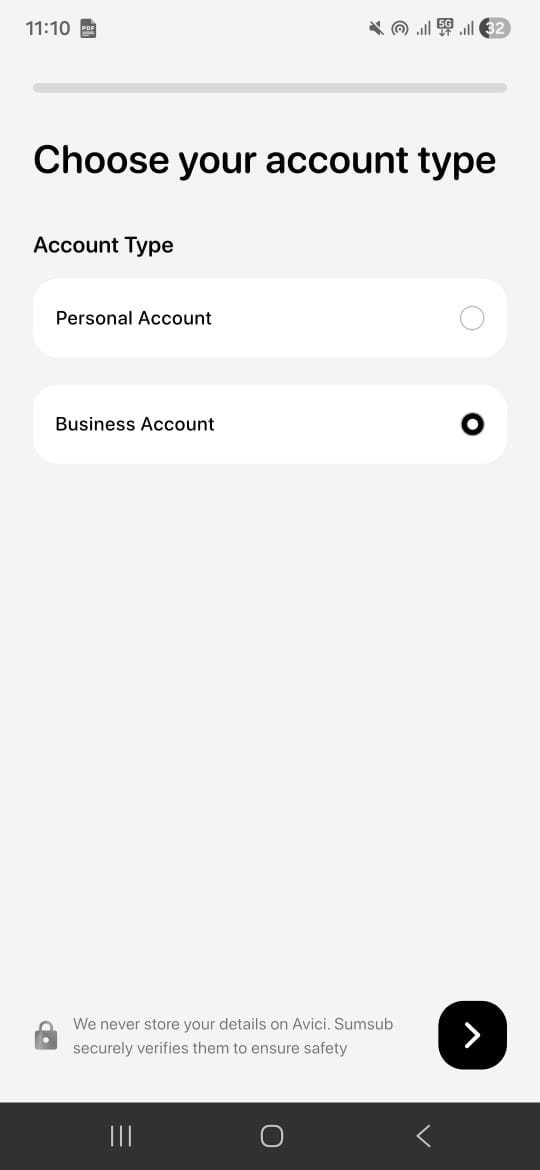
On clicking Tap to Generate, users are given the option to select either Personal or Business account, please select **Business Account**.
On the next screen, choose your country of registration.
After this, you will move through a short set of verification steps. These include:
#### **Personal Details**
Information about the authorised representative of the business.
#### **Company Details**
Basic information about your entity such as business name, type, industry, and registration information.
#### **Entity Address Details**
Your company’s registered address.
#### **UBO Details**
Information about the business owners or individuals with significant control, if applicable.
You may also be asked to upload supporting documents and complete a quick liveliness check.
Verification typically takes only a few minutes. Once approved, you can immediately proceed to create your Business Cards and start using your crypto for business expenses.