> For the complete documentation index, see [llms.txt](https://docs.avici.money/llms.txt). Markdown versions of documentation pages are available by appending `.md` to page URLs; this page is available as [Markdown](https://docs.avici.money/getting-started/secured-credit-cards/security-and-settings.md).
# Security And Settings
Avici offer users a great deal of control over card usage. This also includes security features such as freezing or cancelling the card.
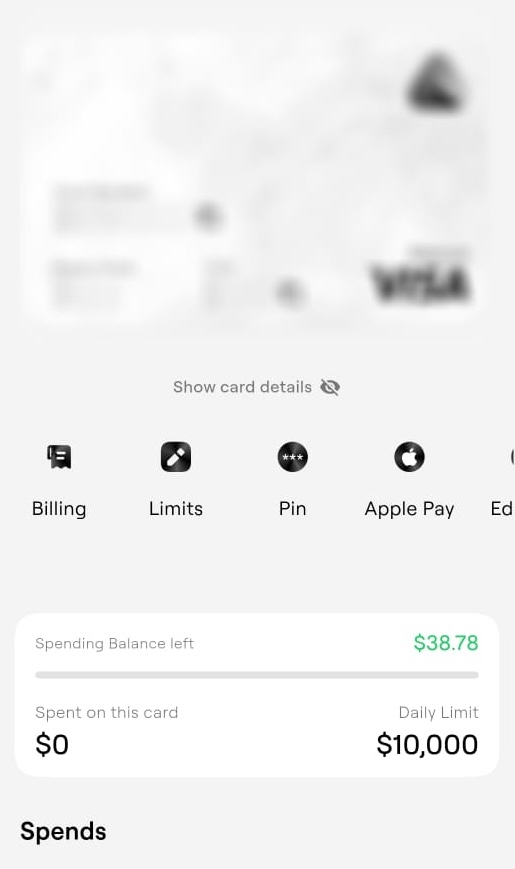
Click on any credit card in your card section and you'll be able to access card info as well as some quick settings. You can choose to show or hide card details, view billing info as well as set limits
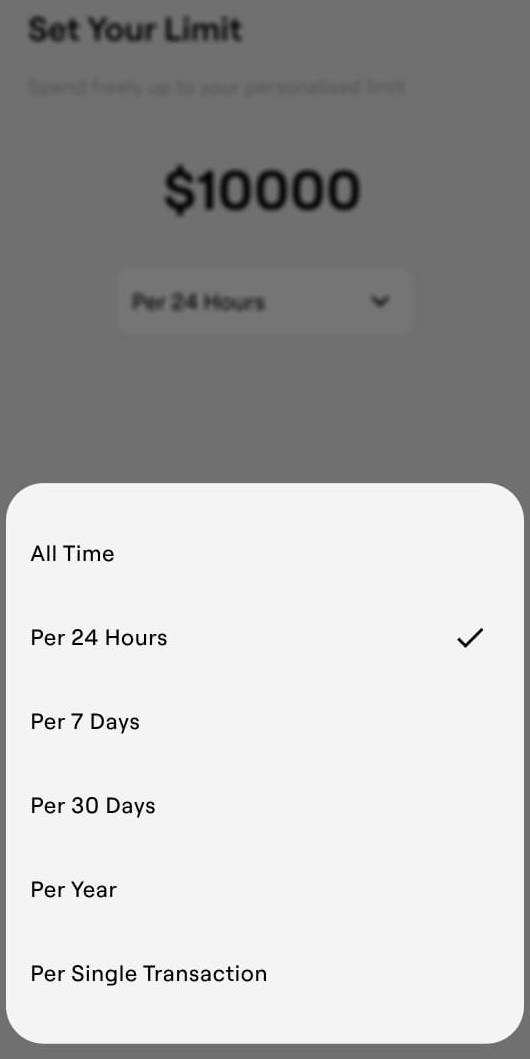
These are the options we have to set limits–
You can also set your PIN, edit the tag as well as cancel or freeze the card–
Freezing the card is a temporary way to stop card spends. Do this if you suspect the card may be compromised.
{% hint style="danger" %}
Caution: Deleting the card will cancel the card. This is an irreversible step.
{% endhint %}
.jpeg?alt=media&token=626cc49e-b93f-4b35-b1b9-ae15366a4c42)